
Revision Timetable Maker
Enter your subjects and exam dates, say how many hours a day you can revise, and get a day-by-day revision timetable you can print or save as a PDF. Subjects with a sooner exam get more of each day's sessions, each day mixes subjects, and the day before every exam goes to that subject.
1 · Your exams
2 · Your time
Everything runs in your browser. What you type is kept only on this device, so the plan is here when you come back.

A printed plan can't see your lectures, your shifts or the day you lost to a cold. Focusity takes the same exam dates, puts the sessions into the free hours in your real week, and moves the ones you miss to a new free slot.
Build my plan — freeFree revision timetable template (PDF)
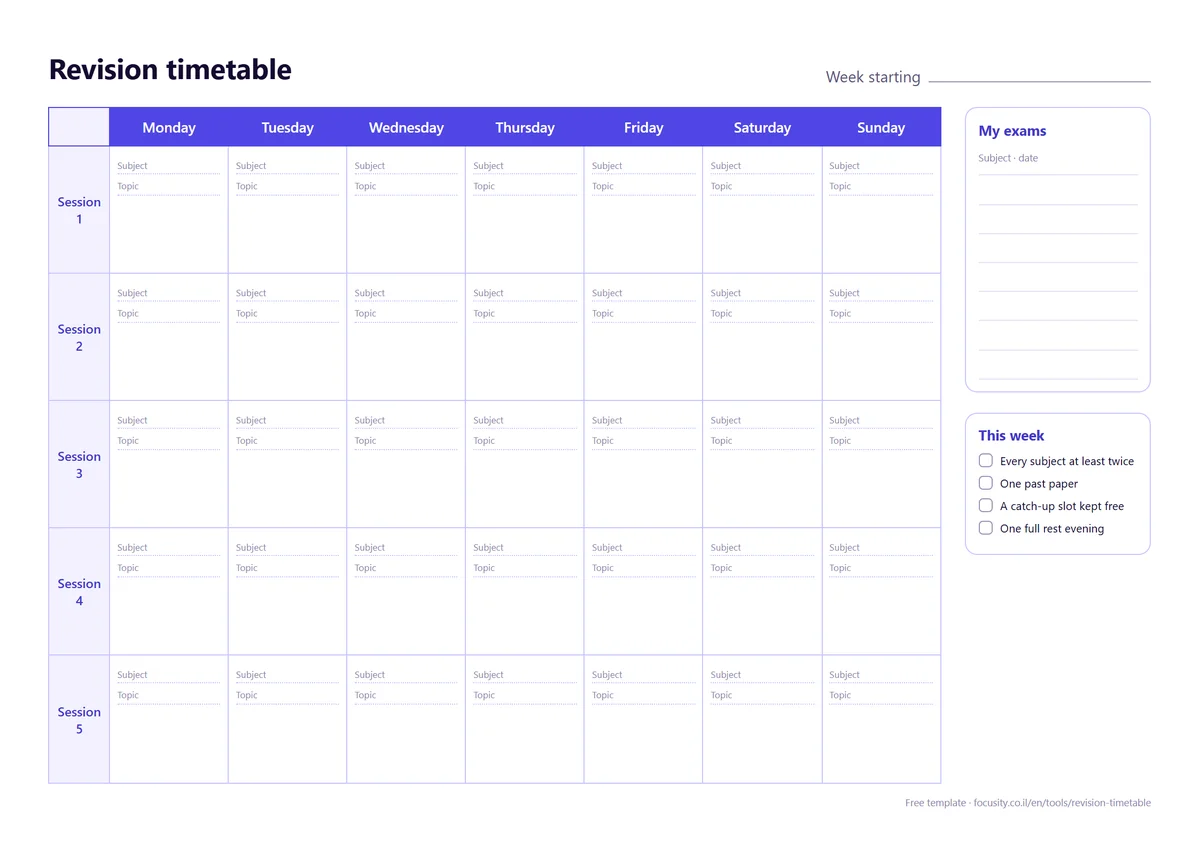
Prefer to plan by hand? This blank weekly revision timetable has seven days, five sessions a day with room for the subject and the topic, and a box for your exam dates. A4 landscape, free to print.
Download the PDFHow to make a revision timetable in 5 steps
- List every exam with its date. If one subject has several papers on different days, write each paper as its own line.
- Count the days you have. From today to the last exam, minus days you already know are taken.
- Decide your daily hours honestly. Plan the hours you can keep on an ordinary day, not on your best day.
- Give sooner exams more sessions, but touch every subject regularly. Short visits spread over days beat one long block.
- Keep the day before each exam for that subject, and leave space to catch up when a day goes wrong.
The maker above does steps 2 to 5 for you. For a worked example with hours, see how to make a study plan for exams.
How this maker spreads your sessions
It shares each day's sessions between the subjects whose exams are still ahead. A subject gets more of them the closer its exam is, but each extra session of the same subject on one day counts for less, so most days mix two or three subjects. The day before an exam, at least half the sessions go to that subject as a final review, and on an exam day it plans only half your usual sessions.
Two findings sit behind this. Spreading study over several days, rather than cramming it into one, led to better recall in a review of 317 experiments by Cepeda and colleagues (2006). Spaced practice was one of only two techniques rated "high utility" by Dunlosky and colleagues (2013), and mixing different kinds of problems in one session was rated "moderate utility".
Revision timetable apps
A printed timetable is a good start, and it stops working the first time a day goes wrong. An app can move the missed session for you. We compared eight that build a revision timetable from your exam dates in the best revision timetable apps, and ten general planners in the best study planner apps. If several exams fall close together, see several exams in one week.
Frequently asked questions
Is the revision timetable maker free?
Yes. It runs in your browser with no sign-up and no watermark. You can print the plan or save it as a PDF, and download the blank template too.
How does it decide what to revise each day?
Subjects with a sooner exam get more of each day’s sessions, each day mixes subjects instead of spending it all on one, and the day before an exam goes mostly to that subject. On an exam day it plans only half your usual sessions.
Can I use it for GCSE, A level or university exams?
Yes. It only needs a subject name and an exam date, so it works for GCSEs, A levels, university finals or any other exams. Split a big subject into papers if they sit on different days.
What if I miss a day?
Set the start date to today and the plan is rebuilt from today with the exams that are left. A plan you can rebuild in a few seconds is easier to keep than a perfect one on paper.
How many hours a day should I revise?
There is no number that fits everyone. Start with the hours you can really keep on a normal day, check after a week whether every subject is getting enough sessions, and add time if it is not.
Is what I type saved anywhere?
Only in your own browser, so the plan is still there when you come back. Nothing is sent to our server and no account is needed.
From a printed plan to one that moves
Focusity imports your timetable and exam dates, finds the free time left after classes and shifts, and lays out revision sessions there, counting back from each exam. Miss one, and it finds the next free slot. Free to start, on iPhone, Android and the web.
Build my plan — free